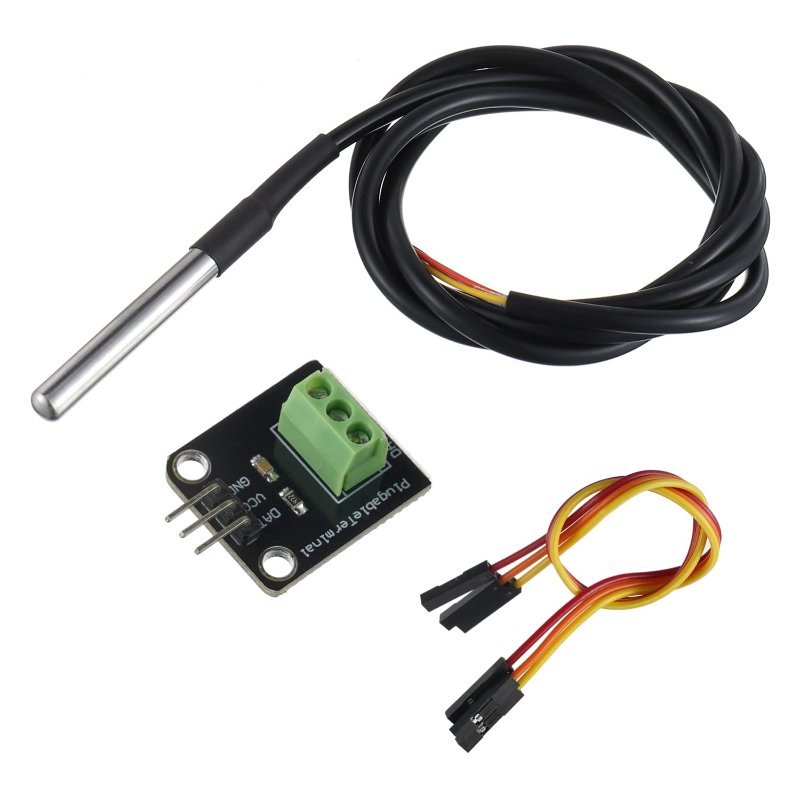
A temperature-controlled fan is the best second project on this site. It is small enough to finish in an evening, but unlike blinking an LED it actually closes a loop: the board measures the physical world, decides something, and changes the physical world in response. That is the whole idea behind every thermostat, 3D printer hotend, and server rack in existence, built on a breadboard for about twenty-five dollars.
It is also the project where beginners most often fry something, because a fan is the first load most people meet that an Arduino pin genuinely cannot drive. So let us build it properly.
What you are actually building
Three parts, and each one solves exactly one problem. A digital temperature sensor tells the Arduino how hot it is. A MOSFET acts as the electrically-controlled switch between the fan and its own power supply, because the Arduino cannot supply that current itself. And a 12V DC fan does the work. The Arduino never touches the fan current at all — it only whispers to the MOSFET gate.
This post contains affiliate links. If you buy through them, this site earns a commission at no extra cost to you.
Step 1: the sensor — use a DS18B20, not a thermistor
You can absolutely read temperature with a cheap thermistor and an analog pin, but then you are on the hook for the Steinhart-Hart maths, a voltage divider, and the fact that your readings drift with your supply voltage. The DS18B20 does the conversion on-chip and hands you degrees Celsius directly. It covers −55°C to +125°C, is accurate to ±0.5°C across the −10°C to +85°C band you actually care about, and at its full 12-bit resolution it resolves 0.0625°C per step.
It talks over Dallas 1-Wire, which means data, clock, and addressing all share a single wire. Two things trip people up here. First, the data line needs a 4.7kΩ pull-up resistor to VCC — without it the bus floats and you get -127 forever. Second, a 12-bit conversion takes about 750 ms, so do not expect to poll it a hundred times a second; once or twice a second is the sane rhythm for a fan controller anyway. In code you need two libraries from the Library Manager, OneWire and DallasTemperature, and then sensors.getTempCByIndex(0) is your whole reading.
Buy the probe version, not the bare TO-92 chip. The stainless sleeve means you can clamp it to a heatsink, dangle it in a vivarium, or tape it inside an enclosure without worrying about shorting the leads — and the kit includes the 4.7kΩ pull-up you would otherwise have to dig out of a resistor assortment.
Check Price on Amazon →Step 2: the switch — never run a fan off a digital pin
An Arduino Uno pin is rated for 20 mA of continuous current, 40 mA absolute maximum. A modest 12V case fan pulls somewhere between 100 and 250 mA, and its stall/startup surge is higher still. Wiring one straight to a pin is how people cook the ATmega328P output driver. The fix is a logic-level N-channel MOSFET: the Arduino pin drives the gate (almost no current), and the MOSFET passes the fan current between the fan and the 12V supply ground.
The word “logic-level” is doing real work in that sentence. A standard MOSFET like the IRF540N needs roughly 10V on its gate to turn fully on, so a 5V Arduino pin leaves it half-open, hot, and wasteful. The IRLZ44N — note the L — has a gate threshold around 1–2V and is comfortably saturated at 5V, which is exactly what a 5V board can deliver. (If you are driving one from a 3.3V board instead, read 5V vs. 3.3V Logic Levels, Explained first, because the margin gets thin.)
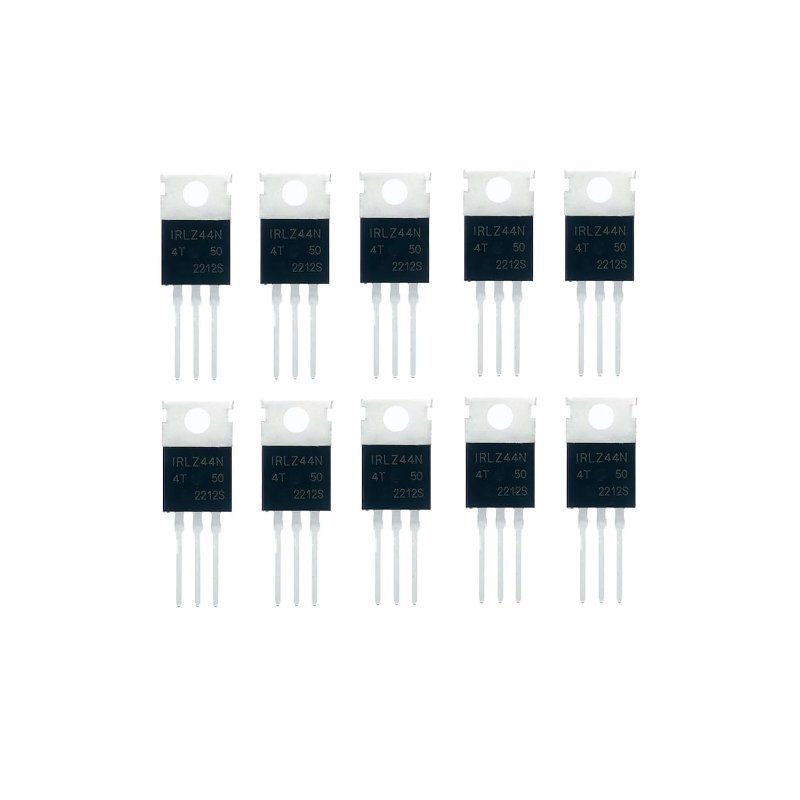
55V, 47A, and about 22 mΩ on-resistance — absurd overkill for a fan, which is the point: it will not even get warm. Buy the multipack. These are the part you will reach for every time you need an Arduino to switch a motor, a pump, an LED strip, or a solenoid, and having spares means a blown one is an inconvenience rather than a stalled project.
Check Price on Amazon →Three details make the difference between a circuit that works and one that behaves strangely. Put a 100–220Ω resistor in series with the gate to tame the inrush as the gate capacitance charges. Put a 10kΩ resistor from gate to ground so the MOSFET is definitely off while the Arduino boots or resets, instead of floating to some random half-on state. And put a flyback diode — a 1N4007 is fine — across the fan terminals, cathode to the positive side, so the collapsing magnetic field in the motor windings has somewhere to dump its energy other than through your MOSFET.
And the one everybody forgets: the 12V supply ground and the Arduino ground must be tied together. A MOSFET switches by voltage between gate and source, and if the source sits on a different ground reference than the pin driving the gate, that voltage is meaningless.
Step 3: the fan, and the PWM detail nobody mentions
PWM (pulse-width modulation) is how a digital pin fakes an analog output: it flips between fully on and fully off thousands of times a second, and the ratio of on-time to off-time — the duty cycle — sets the average power delivered. analogWrite(pin, 0) is off, analogWrite(pin, 255) is full tilt, and 128 is roughly half. On a Uno, those pulses come out at about 490 Hz on pins 3, 9, 10, and 11, and about 980 Hz on pins 5 and 6.
Here is the fork in the road. With a plain two-wire fan chopped by your MOSFET, those low frequencies land squarely in the audible range and you will hear the fan buzz at part throttle. It works, but it whines. A four-pin fan is the better answer: it has its own internal controller and a dedicated PWM input pin, so you are sending it a control signal rather than chopping its power. The catch is that the four-pin standard expects roughly 25 kHz on that line, far above what analogWrite() produces by default, so you have to reconfigure Timer1 to drive pin 9 or 10 at 25 kHz. It is about six lines of register setup, and the payoff is a fan that glides silently from 200 to 1800 RPM. The fourth wire is a bonus: a tachometer output you can read to confirm the fan is actually spinning.
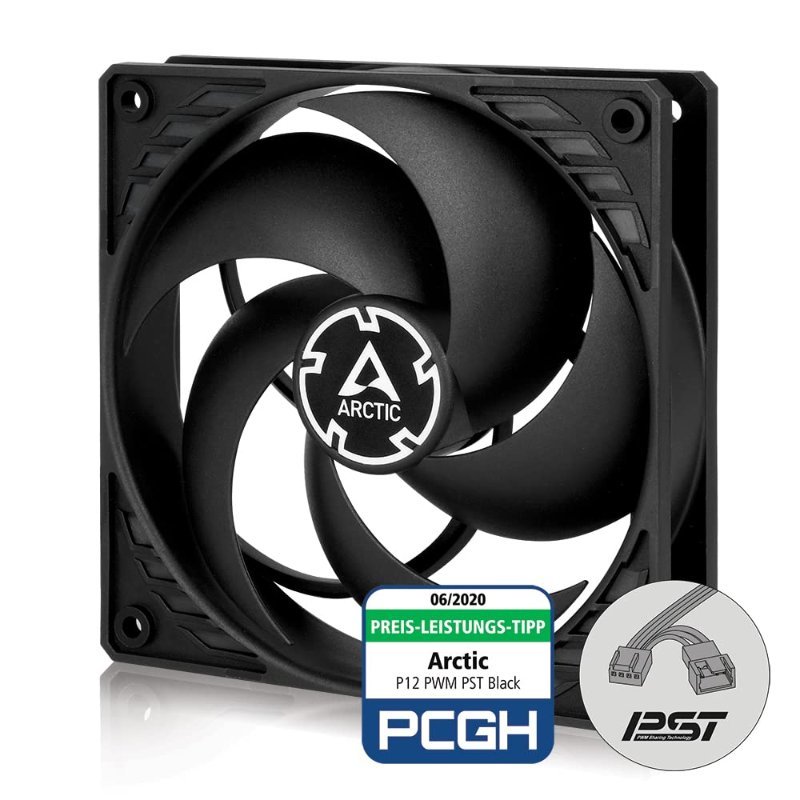
A proper four-pin PWM fan for about the price of a no-name two-wire one. It spans 200–1800 RPM, which gives your control loop somewhere useful to go, and it is pressure-optimised, so it still moves air when you eventually bolt it to a grille or a filter. Cut the connector or buy a 4-pin breakout — yellow is tach, blue is PWM in.
Check Price on Amazon →The control logic (this is where it gets interesting)
The naive version is one line: if the temperature is above 30°C, fan on, otherwise fan off. Build that first, because it proves the whole chain works. Then immediately notice its flaw — at exactly 30°C the fan clatters on and off every second, because cooling drops the reading just below the threshold and switching off pushes it right back up.
Two upgrades fix that. Hysteresis: turn on at 30°C but do not turn off until 27°C, so there is a dead band the reading has to cross. And proportional control: pick a minimum temperature where the fan starts and a maximum where it should be flat out, then map() the reading between them onto a duty cycle. One practical wrinkle — a stationary fan needs more torque to break free than a spinning one needs to keep going, so a duty of 40 will often produce a faint hum and no rotation at all. Clamp your minimum output to somewhere around 80 out of 255, or kick the fan to 255 for 200 ms before dropping to the target duty.
If you find yourself wanting the temperature held at a precise setpoint rather than just “more heat, more fan,” that is the moment proportional control stops being enough and you graduate to a real feedback loop — see What Is PID Control, and Do You Actually Need It. For a fan, honestly, proportional plus hysteresis is plenty.
Before you power it up
- 4.7kΩ pull-up between the DS18B20 data line and VCC. Missing this accounts for most “my sensor reads −127” posts.
- 12V supply ground and Arduino ground tied together, always.
- Flyback diode across the fan, cathode to +12V. Motors are inductive; respect that.
- Gate pulldown resistor installed, so a reset does not leave the fan in limbo.
- Do not try to power the 12V fan from the Arduino 5V rail or its barrel jack regulator. It needs its own supply. If you have been fighting brownouts on other builds, Fixing Power Issues When Running Multiple Servos or Motors covers the same failure mode.
Get it running on a breadboard, then find it a job. Mine ended up exhausting a cabinet that a network switch was slowly turning into an oven. That is the real appeal of this build: it is a genuine closed loop you can explain in one breath, and once you have built one, every thermostat you meet for the rest of your life is just this project with a nicer enclosure.