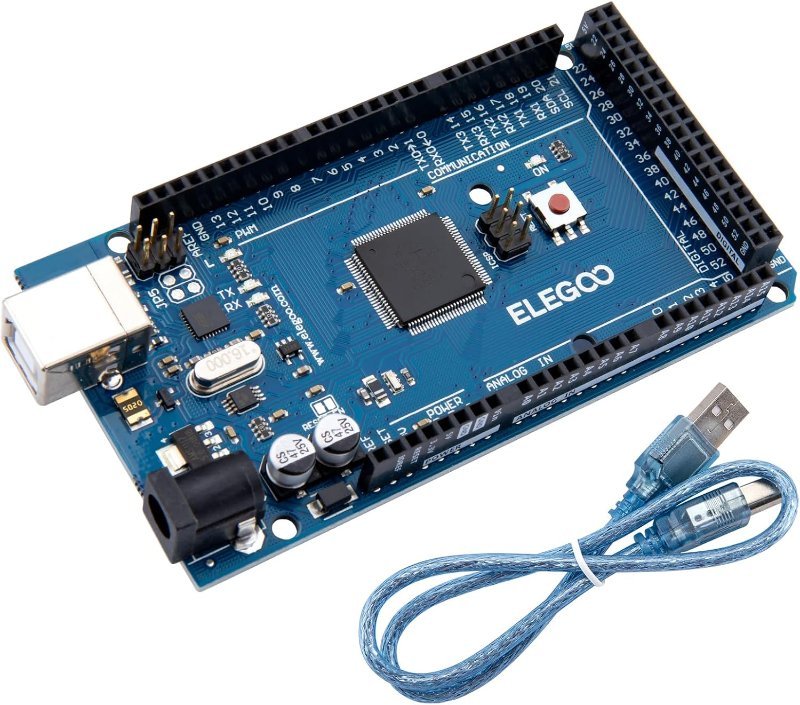
Almost everyone who buys an Arduino Mega buys it for the wrong reason. They lay out a project on paper, count up sensors and LEDs and motors, get to something like eleven or twelve, look at the Uno’s fourteen digital pins, and panic. So they spend roughly double and get a board with 54 digital pins, because 54 is obviously plenty.
Then the project gets built and about 35 of those pins never get a wire soldered to them. Pin count is the least interesting difference between these two boards, and it’s the only one most buying guides talk about. Here’s what actually separates them.
The specs, side by side
Both boards run the same 16 MHz AVR architecture and the same 5V logic, and both are programmed from the same Arduino IDE with the same code. The Uno uses an ATmega328P; the Mega uses an ATmega2560. That’s where they split:
| Uno R3 | Mega 2560 R3 | |
|---|---|---|
| Digital I/O pins | 14 | 54 |
| PWM-capable pins | 6 | 15 |
| Analog inputs | 6 | 16 |
| Flash (program space) | 32 KB | 256 KB |
| SRAM (working memory) | 2 KB | 8 KB |
| EEPROM | 1 KB | 4 KB |
| Hardware serial ports | 1 | 4 |
| External interrupt pins | 2 | 6 |
| Board length | 68.6 mm | 101.6 mm |
Look past the first three rows. The rows that actually decide projects are SRAM, hardware serial ports, and interrupts.
Reason 1: you need more than one hardware serial port
A hardware serial port (a UART) is dedicated silicon inside the chip that shifts bytes in and out on two pins without the processor babysitting every bit. The Uno has exactly one, and it’s wired to the USB connection. So the moment you plug in a GPS module, a Bluetooth module, or a serial LCD, you’re fighting over the same two pins your Serial Monitor uses.
The usual workaround on an Uno is the SoftwareSerial library, which fakes a serial port on any two digital pins by bit-banging the timing in software. It works, and it’s fine for one slow device. It also blocks interrupts while it transmits, tops out reliably around 38400 baud, and can only listen to one software port at a time. Chasing dropped GPS sentences because SoftwareSerial was busy talking to a Bluetooth module is a miserable afternoon.
The Mega has four real UARTs: Serial (on USB), plus Serial1, Serial2, and Serial3 on their own pin pairs. GPS on one, Bluetooth on another, debug output over USB, all at once, all in hardware. This is the single most defensible reason to buy a Mega, and it’s almost never the reason people give.
Reason 2: you’re out of SRAM, not out of pins
Flash is where your compiled program lives. SRAM is the scratch space it uses while running — variables, arrays, the stack, and every string your code touches. The Uno has 2 KB of it. That is not much, and it disappears faster than beginners expect.
A 128×64 graphic display buffer is 1 KB on its own — half your Uno’s total SRAM gone before your sketch does anything. A few dozen Serial.println("...") calls with literal strings quietly copy all those strings into SRAM at boot unless you wrap them in the F() macro. An array of 200 sensor readings stored as int is another 400 bytes.
The nasty part is the failure mode. Running out of flash gives you a clean compiler error telling you the sketch is too big. Running out of SRAM gives you nothing — the sketch uploads, runs, and then starts behaving insanely: garbled serial output, random resets, variables changing on their own. If you’ve ever had a program that “compiles but doesn’t do anything sensible,” SRAM exhaustion is a prime suspect. The Mega’s 8 KB is four times the room, and 256 KB of flash means you’ll almost certainly never hit the program-size ceiling either.
Reason 3: lots of PWM, or lots of interrupts
PWM — pulse width modulation — is how a digital-only chip fakes an analog output: it switches a pin on and off thousands of times a second and varies how much of each cycle is spent on. That’s what dims an LED or sets a servo’s angle. The Uno gives you 6 PWM pins; the Mega gives you 15. If you’re building a hexapod or an animatronic head with a dozen servos, that difference is real.
Interrupts matter for a narrower crowd but matter a lot. An external interrupt pin can drop everything and run a function the instant a signal changes, which is how you read rotary encoders or count pulses from a flow meter without missing any. The Uno has two such pins (2 and 3). The Mega has six (2, 3, 18, 19, 20, and 21). Two wheel encoders with two channels each needs four — which is exactly the kind of project where an Uno quietly runs out of room in a way pin count never warned you about.
Where the Mega bites you
The Mega is not a strictly better Uno, and two gotchas catch people every time.
The buses moved. On the Uno, SPI lives on pins 11, 12, and 13, and I2C lives on A4 and A5. On the Mega, SPI is on pins 50–53 and I2C is on pins 20 and 21. Physical shields mostly still fit — the digital 0–13 header, the analog header, and the ICSP header are all in equivalent positions — but any shield or wiring diagram that assumes I2C is on A4/A5 will simply not work, and it won’t tell you why. Anything that reaches SPI through the ICSP header is fine on both, since that header carries the same signals.
It’s a big board. At 101.6 mm long it’s half again the Uno’s length, which is genuinely awkward inside a robot chassis or a project enclosure sized for an Uno. Measure before you commit.
Worth noting what doesn’t change: both boards run 5V logic, both are clocked at 16 MHz, and both use the same ATmega328P-era instruction set. The Mega is not faster. If your sketch is too slow on an Uno, a Mega will run it at exactly the same speed — that’s an ESP32 or a Raspberry Pi problem, not a Mega one.
What to actually buy
This post contains affiliate links. If you buy through them, this site earns a commission at no extra cost to you.
Start with the Uno. If this is your first board, or your second, or you’re building anything that fits in the “one or two sensors and an output” shape, buy the Uno and don’t think about it again. Every tutorial on the internet assumes this board, every shield fits it without a pinout asterisk, and the constraints are a feature while you’re learning — 2 KB of SRAM teaches you to care about memory in a way 8 KB never will. The ELEGOO clone uses the same ATmega328P and an ATmega16U2 USB chip, so it behaves identically to the official board in the IDE, with no driver hunt.
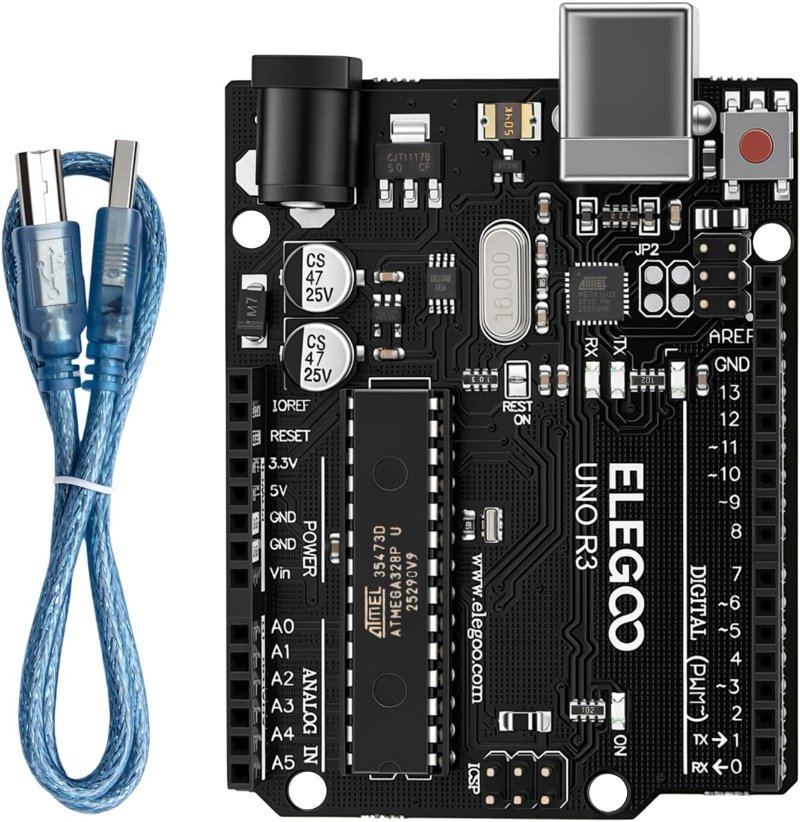
14 digital pins, 6 PWM, 6 analog, 32 KB flash, 2 KB SRAM. Ships with the USB-B cable. The default board for a reason — if you’re not certain you need a Mega, you need this.
Check Price on Amazon →Buy the Mega when you can name the reason. Not “I might need more pins later” — an actual constraint: two or more serial devices talking at once, a sketch that’s already misbehaving from SRAM pressure, a dozen servos, or four-plus interrupt sources. If one of those describes your build, the Mega solves it cleanly and you’ll stop fighting workarounds. Get a board with the ATmega16U2 USB interface rather than a CH340-based budget clone; it’s the same arrangement the official board uses and it saves you a driver install.
54 digital pins, 15 PWM, 16 analog, 4 hardware UARTs, 256 KB flash and 8 KB SRAM. Includes the USB-B cable. Remember SPI sits on 50–53 and I2C on 20/21, not where the Uno keeps them.
Check Price on Amazon →setPWM() calls. You’ll have more PWM channels than a Mega has, on the board you already own — and you’ll learn why I2C expanders are the usual answer to “I ran out of pins.”
The verdict
Buy the Uno. When you hit a wall, notice which wall it actually was. If it’s serial ports, memory, PWM channels, or interrupts, the Mega is the right upgrade and it’ll feel like relief. If it’s just pin count, an I2C expander or a shift register costs a few dollars and keeps your project small.
The Mega is a specialist’s board that happens to look like a beginner’s upgrade. Almost nobody’s first project needs one, and the people who genuinely do usually figure it out on their own — they’ve already got a GPS module and a Bluetooth module on the bench, wondering why they can’t both talk at once.