Every beginner hits the same wall eventually. There is a circuit on a breadboard, a USB cable goes in, and something gets hot. Maybe a jumper was one row off. Maybe a motor stalled against a table leg. Either way the 5V rail cheerfully delivered every amp it had until a component gave up and started smoking.
A bench power supply fixes that, and not for the reason most people assume. Its value is not that it supplies power — a six-dollar wall adapter does that. Its value is that it refuses to. That is the whole product, and it is worth understanding before you spend anything.
Constant voltage, constant current, and the handoff between them
A bench supply has two operating modes, and it picks between them on its own. In constant voltage (CV) mode it holds the voltage across its output terminals steady and lets the current go wherever the load wants it. In constant current (CC) mode it does the opposite: it holds the current steady and lets the output voltage move to whatever value produces that current.
You set both numbers. The supply then runs in CV until the load tries to pull more current than your limit allows — at that point, per National Instruments’ write-up on supply fundamentals, it “begins to operate in compliance,” switches into constant current mode, and pins the current at your limit while the output voltage sags below your setpoint. Set 5V with a 300 mA limit into a greedy load and you get a steady 300 mA at something well under 5V.
The exact load resistance where that handoff happens has a name — compliance resistance, also called critical or crossover resistance — and it is just Ohm’s law on your two setpoints:
Set voltage     VS = 5.00 V
Current limit   IS = 0.300 A
Compliance R    RC = VS / IS = 16.67 ohms

Load above 16.67 ohms  ->  CV mode: 5.00 V, current below 300 mA
Load below 16.67 ohms  ->  CC mode: 300 mA, voltage below 5.00 V
A dead short (0 ohms)  ->  CC mode: 300 mA, voltage near 0 V
Read that last line again, because it is the entire reason to own one of these. A short circuit on a bench supply with a 300 mA limit is not an event. The voltage collapses, the current sits at 300 mA, the display flips to CC, and nothing is damaged. The same short on a USB port or a wall adapter is a race between your trace and the adapter’s internal protection, and your trace usually loses. If you have been through our guide on battery vs. USB vs. wall adapter power, this is the capability none of those three options has.
Practically, this means you develop a habit: before powering a new board for the first time, set the current limit to roughly what the circuit should draw plus a little margin. If the supply immediately drops into CC, you have a wiring fault, and you found it with a glance at a display instead of with your nose.
Switching or linear? Most hobbyists should buy switching
Supplies come in two regulation flavors, and the tradeoff is real but narrower than the internet suggests.
Linear supplies regulate by burning the excess voltage as heat in a pass transistor. NI’s summary is blunt about the consequences: low ripple and noise, but low efficiency, large size, and more heat. Their residual ripple sits at the mains frequency, 50 or 60 Hz. Keysight makes the same point from the other direction — linear supplies have significantly less electrical noise and ripple than the alternative.
Switching supplies chop the input at high frequency instead, which is why they are more compact, produce less heat, and are more efficient — and also why they are, in NI’s words, “very susceptible to high-frequency noise,” layering high-frequency ripple on top of the mains-frequency component. Keysight adds the part that matters to a hobby budget: switching is the more cost-effective and the lighter option.
Here is the honest read. If you are powering microcontrollers, motors, servos, LEDs, sensors and logic — which is essentially all Arduino and robotics work — switching noise is irrelevant to you. A few millivolts of high-frequency hash on a 5V rail does not bother an ATmega328P, and your breadboard’s own parasitic inductance is a bigger problem than anything the supply contributes. Linear regulation starts to earn its price when you move into low-noise analog: audio preamps, precision ADC front ends, RF. Buy switching now; buy linear when you have a specific reason to.
The specs worth comparing
Resolution is the smallest change the supply can actually make. It sounds academic until you try to feed a 3.3V part — Core Electronics puts the floor at 0.1V of resolution for that job, and in practice you want far better. This is the real difference between a three-digit display reading 5.00V and a four-digit one reading 5.000V: the second lets you dial 3.300V deliberately rather than approximately. Pair that with a coarse-and-fine adjustment (two knobs, or an encoder with a press-to-shift-digits action) or you will spend your life overshooting. And if you are feeding mixed-voltage parts, our explainer on 5V vs. 3.3V logic levels covers why landing exactly on 3.3V matters.
Protection features. Keysight describes three, and all three are worth having. Overvoltage protection caps how high the output can go, guarding the load against a fat-fingered knob. Overcurrent protection is the current ceiling discussed above — their example of when it saves you is, fittingly, a short circuit. Temperature protection is the supply watching its own internals and shutting down when heavy current draw cooks it. Cheap units sometimes advertise only the first two.
Ripple and noise numbers, compared carefully. Keysight notes these get quoted two different ways — as a peak-to-peak millivolt figure, or as an RMS figure in millivolts or microvolts. Those are not interchangeable, and listings love to print whichever one flatters the product. If two supplies quote in different units, you have not actually compared them. Same story with regulation specs, which Core Electronics notes arrive in the awkward form of a percentage plus a fixed offset.
Remote sense is a spec you can ignore. Also called four-wire sensing, it fixes the voltage your load actually receives being lower than what the supply thinks it is sending, because the test leads themselves have resistance. NI’s example is instructive precisely because it is so mild: 24 feet of 26 AWG wire works out to about an ohm per lead, and at 5V into a 1k load the error that produces is 4.99V instead of 5.00V. With the short, thick leads on a hobby bench, this is noise-level. Skip it.
What I would actually buy
This post contains affiliate links. If you buy through them, this site earns a commission at no extra cost to you.
Start here. A 0–30V, 0–5A switching unit with a proper encoder knob covers the overwhelming majority of Arduino and sensor work. Thirty volts is more than you will ever ask a logic project for, and five amps is comfortable for a handful of servos. The feature to insist on at this price is the encoder with coarse and fine stepping — it is what makes landing on 3.300V a two-second operation instead of a fight. Over-current protection and a USB/USB-C output round it out; the USB port is a convenience, not an instrument.
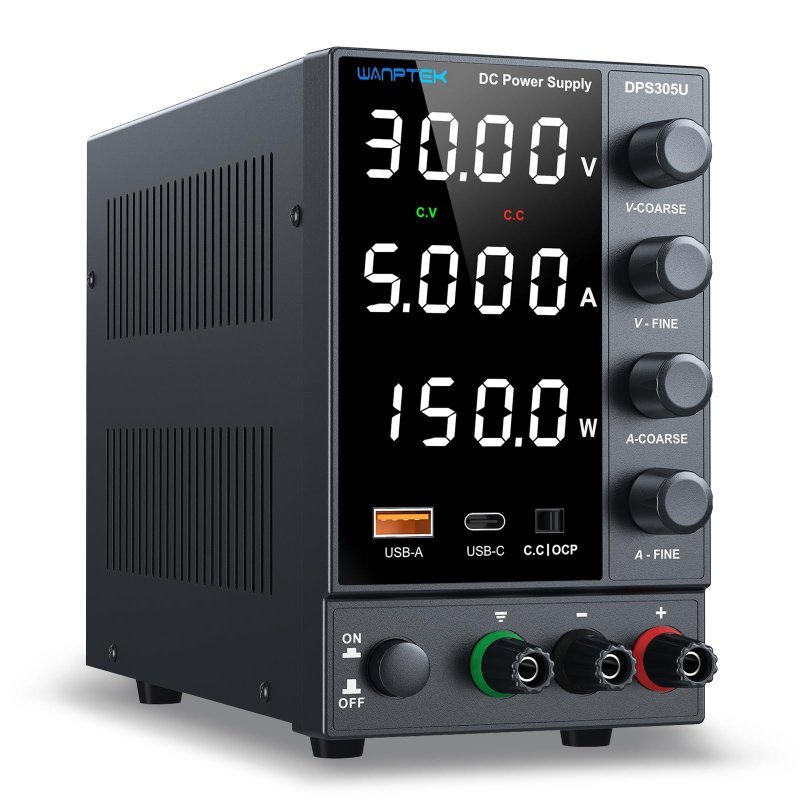
Coarse-and-fine encoder adjustment, over-current protection, and a USB + Type-C output. The cheapest supply I would actually recommend, and enough headroom for anything on a breadboard.
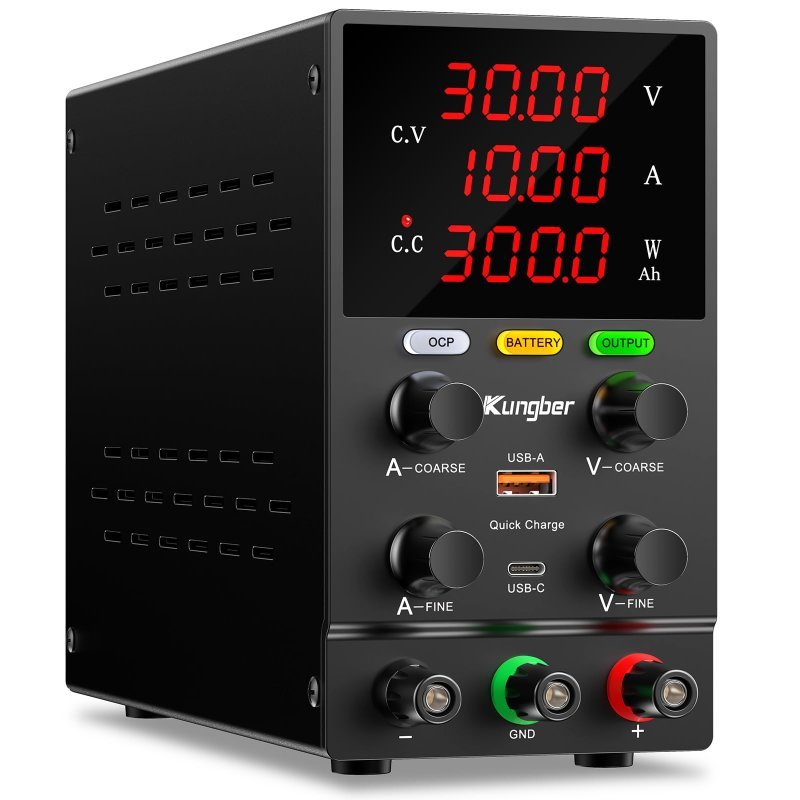
Check Price on Amazon →The sweet spot. Add about twenty dollars and you get ten amps instead of five, and for anyone building robots that is the upgrade that matters. Motors do not draw their rated current — they draw their stall current when something binds, which can be several times higher. Having headroom means a jammed gearbox trips your deliberate current limit rather than browning out the supply. This is the same failure mode behind power problems with multiple servos, and a 10A bench supply is how you diagnose it instead of guessing.
Double the current headroom for roughly a third more money, with a four-digit display and a precision encoder knob. The right default for anyone whose projects involve motors.
Check Price on Amazon →The splurge, for one specific reason. The KORAD KD3005P costs more than twice the sweet-spot pick, and the current rating goes down to five amps. You buy it for two things the cheap units cannot do: it is a genuine linear supply, so the ripple story above works in your favor for analog and RF work, and it is programmable over a serial connection — meaning you can script voltage sweeps and log the results instead of standing there turning a knob. If you are characterizing a circuit rather than just feeding it, that automation is the whole value. If you are not, save your money; this is not a general upgrade.
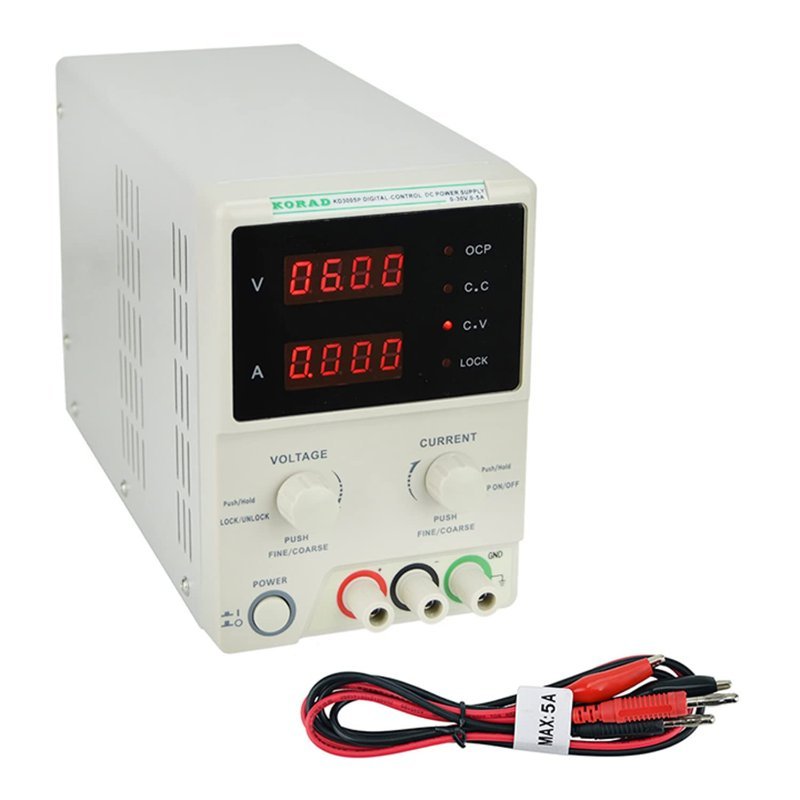
True linear regulation for low-noise analog work, plus PC control for scripted sweeps and logging. Buy it for the programmability and the clean output, not for more current.
Check Price on Amazon →What to skip
Skip the twenty-five-dollar three-digit units with a single coarse potentiometer and no stated over-current behavior — you lose the one feature you are buying. Skip 60V models unless you know why you need them; the extra range costs resolution across the part of the dial you actually use. Skip treating the built-in USB port as a measurement tool, since its current does not generally show on the main display. And skip the two-channel question entirely at this budget: Core Electronics reasonably recommends at least two channels for a bench supply, but on hobby-grade hardware the second channel roughly doubles the price, and a single channel plus a decent multimeter gets you further for the money.
Bottom line
Buy a switching supply with four digits and a fine-adjust encoder, and buy the 10A version if motors are anywhere in your future. The first time a miswired board drops the display into CC instead of into the trash, the thing will have paid for itself.