Most beginner robot projects are, mechanically speaking, forgiving. A line follower that drifts off the tape just sits there. An obstacle-avoiding rover that misreads a wall bumps into it and backs up. The failure mode is embarrassing, not fatal. A self-balancing robot is different: the instant your control loop is wrong, the thing falls over. There is no partial credit. That’s exactly why it’s the build worth attempting once you’ve outgrown the easy stuff.
What you’re actually solving: the inverted pendulum
A two-wheeled balancing robot is a physical implementation of the classic inverted pendulum problem. A normal pendulum hangs down and is stable — push it and it swings back. Flip it so the mass sits above the pivot and it becomes unstable: any deviation from perfectly upright grows on its own, and gravity accelerates the fall. Your robot’s entire job is to drive the wheels toward the direction it’s falling, moving the pivot point back underneath the center of mass before the angle gets away from it.
That’s the whole trick, and it’s why the problem is genuinely hard. The correction has to happen faster than the fall develops, which in practice means a loop running a few hundred times a second, fed by an angle measurement that’s both fast and accurate. Get either half wrong and the robot either lags behind the fall or chases sensor noise into a shaking fit.
A real build worth studying: YABR
The reference build most people land on is Joop Brokking’s YABR — “Your Arduino Balancing Robot” — documented in full at brokking.net with schematics and firmware published for free. It’s a roughly $80 build: an Arduino Pro Mini running the balance loop, an MPU-6050 for angle sensing, two small stepper motors driven by StepStick-style drivers, a step-down converter for the 5V rail, and a pair of 2.4GHz serial transceivers so a second Arduino with a wired Wii nunchuck can drive it around.
The detail that makes YABR instructive is the motor choice. Most beginner balancing builds reach for geared DC motors and an L298N, because that’s what’s in every starter kit. Brokking used stepper motors instead, and his reasoning is worth internalizing: a stepper moves an exact, known amount per pulse, so the robot’s response doesn’t quietly change as the battery sags. A DC motor at 7.4V and the same DC motor at 6.6V produce different wheel speeds for the same command, which means your carefully tuned control constants slowly stop being correct as the pack drains. Steppers sidestep that entire class of problem.
The sensor half: why one chip isn’t enough (and why it is)
The MPU-6050 is a six-axis IMU: a three-axis accelerometer and a three-axis gyroscope on one die, with a 16-bit ADC, talking over I2C. I2C is a two-wire bus — SDA for data, SCL for clock — that lets several chips share the same two Arduino pins, each answering to its own address (the MPU-6050 defaults to 0x68). On an Uno that’s A4 and A5. The board runs happily on either 3.3V or 5V thanks to an onboard regulator, so it drops into a 5V Uno project without the level-shifting headache. If you haven’t run into that distinction yet, our guide to 5V vs. 3.3V logic levels covers when it bites you.
Here’s the part that surprises people: neither sensor inside it can measure tilt well on its own. The accelerometer senses gravity, so it knows which way is down in absolute terms — but it also senses every bump, vibration and motor jolt, so its instantaneous reading is noisy garbage on a moving robot. The gyroscope measures rate of rotation very cleanly, but you have to integrate that rate over time to get an angle, and tiny errors accumulate until the reported angle has drifted degrees away from reality within a minute.
The standard fix is a complementary filter, and it’s about three lines of code. You trust the gyro for the short term and the accelerometer for the long term, blending them on every pass of the loop:
float angle = 0.97 * (angle + gyroRate * dt)
      + 0.03 * accelAngle;
That 0.97/0.03 split means the fast gyro integration dominates moment to moment, while the accelerometer’s slow, absolute sense of “down” quietly pulls the estimate back toward truth and cancels the drift. A Kalman filter does the same job more rigorously, but on a balancing robot the complementary filter is usually indistinguishable in practice and far easier to reason about when things go wrong.
Feed that angle into a PID controller, and the loop is complete: measure tilt, subtract it from your target angle to get an error, compute a motor command, repeat. If PID is still a black box to you, we broke it down in What Is PID Control — a balancing robot is the canonical case where you genuinely need all three terms, not just P.
What to buy if you want to build one
This post contains affiliate links. If you buy through them, this site earns a commission at no extra cost to you.
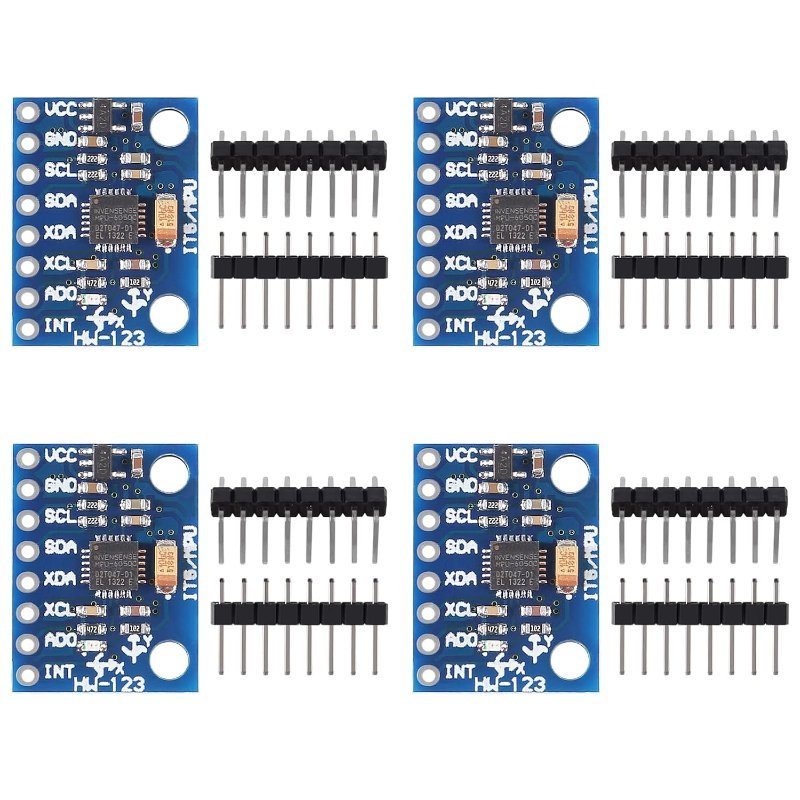
Start with the sensor, because it’s cheap and it’s useful long after this project. The GY-521 breakout is the standard MPU-6050 carrier board, and buying a multi-pack is the right call here — these modules are static-sensitive, the solder pads are small, and a balancing robot involves repeatedly mounting and unmounting the thing while you chase down a wobble. Having spares turns a dead afternoon into a five-minute swap.
Three-axis accelerometer and three-axis gyroscope on one I2C module, 16-bit output, works on 3.3V or 5V. This is the sensor nearly every balancing build in the wild uses, and a four-pack costs about what a single one used to.
Check Price on Amazon →For the drive side, if you follow YABR’s lead and go with steppers, you need driver boards — a stepper can’t be run directly off Arduino pins. The DRV8825 is the StepStick-format driver that build uses: you give it a step pin and a direction pin, and it handles the coil sequencing. It takes 8.2V to 45V on the motor supply, does microstepping down to 1/32 step for smoother, quieter motion, and has an adjustable current limit you set with a small trim pot. Buy them in a pack, because setting that current limit wrong is a rite of passage and the first one you kill won’t be the last.
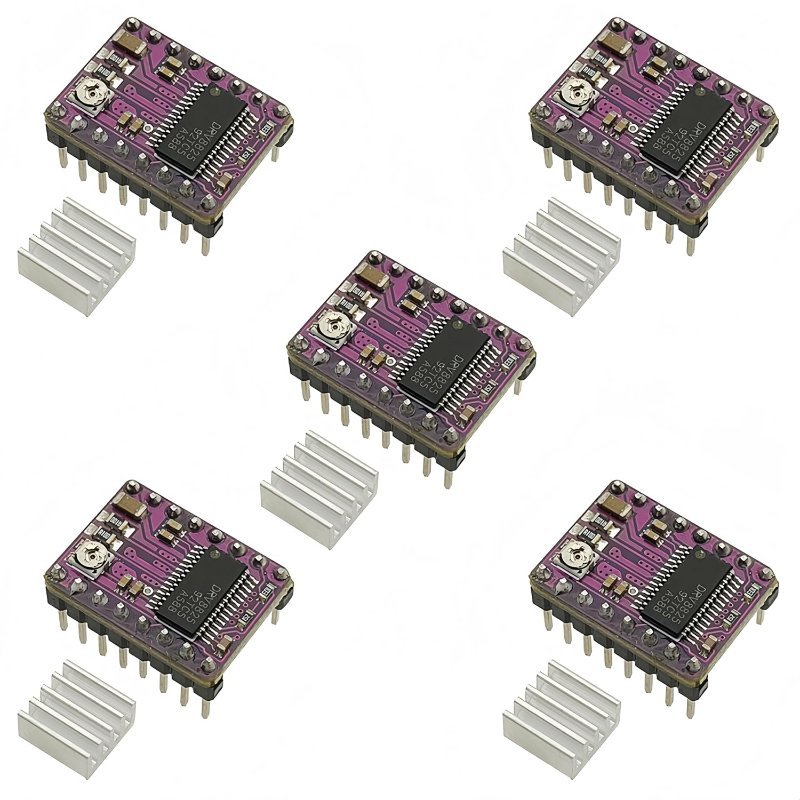
StepStick-pinout DRV8825 boards with microstepping down to 1/32 and an adjustable current limit. Drop-in compatible with A4988 sockets, and the included heat sinks are not optional once you push any real current through them.
Check Price on Amazon →Where first attempts actually fail
Three things sink most first builds, and none of them are the code. The first is a loop that doesn’t run at a fixed interval — if dt in your filter and your PID’s integral term varies pass to pass because you left a delay() or a slow Serial.print() in the loop, your tuning will never settle. Time the loop properly and keep it constant.
The second is center of mass. Put the battery high on the chassis, not down by the axle. A pendulum with mass concentrated near the pivot falls fast and demands an impossibly quick correction; raising the mass slows the fall and gives your loop time to respond. It feels backwards, and it’s the single highest-leverage mechanical change you can make.
The third is the zero point. “Upright” is whatever angle your particular robot balances at with its particular weight distribution, and it’s essentially never the 0.00° your sensor reports when the chassis looks level to your eye. Most working builds include a calibration step that finds the true balance angle and offsets everything from there. Skip it and your robot will hold a slight lean, creep steadily across the floor trying to correct it, and eventually run out of room.
Why it’s worth doing
Every concept in this build — sensor fusion, fixed-rate control loops, PID tuning, the gap between a sensor’s raw output and a usable measurement — shows up again in drones, in camera gimbals, in anything with an IMU in it. A balancing robot is just the cheapest possible place to learn them, and it has the rare virtue of telling you immediately and unambiguously whether you got it right. The robot either stands up or it doesn’t.