The Serial Monitor is a leash. Everything your Arduino measures only exists while the USB cable is plugged in and the window is open — unplug it, and the data is gone. That is fine for debugging and useless for anything you actually want to learn from. If you want to know what the temperature in your garage did overnight, or how long your battery pack really lasts under load, you need the board to write to something that survives a power cut.
An SD card logger is the cheapest way to get there. About seven dollars of hardware turns any Uno or Nano into a device that quietly appends numbers to a file for days. And because the file is plain CSV on a FAT filesystem, you pull the card, drop it in your laptop, and open it in a spreadsheet. No app, no cloud account, no Wi-Fi to configure.
How the card talks to the board: SPI in one minute
SD cards speak SPI — Serial Peripheral Interface. It is a four-wire bus, and unlike I2C it gives each direction its own dedicated wire, which is why it is fast enough to move blocks of file data around. The four signals are MOSI (master out, slave in — the board talking), MISO (master in, slave out — the card answering), SCK (the clock the board generates to time every bit), and CS (chip select, which tells one specific device on the bus to pay attention).
On an Uno or Nano, MOSI, MISO and SCK are hardware pins and you do not get to move them: pin 11, pin 12 and pin 13 respectively. CS is yours to choose, and the Arduino SD library defaults to pin 10. So the whole wiring job is six jumpers — VCC to 5V, GND to GND, CS to 10, SCK to 13, MOSI to 11, MISO to 12.
Here is the gotcha that eats beginners alive, and it is worth reading twice: pin 10 on the Uno must be configured as an OUTPUT, even if you move CS somewhere else. Pin 10 is the ATmega328P’s hardware slave-select line. If it is left floating as an input, the chip decides it is being addressed as an SPI slave itself, drops out of master mode, and SD.begin() hangs forever with no error message. One pinMode(10, OUTPUT) in setup prevents it.
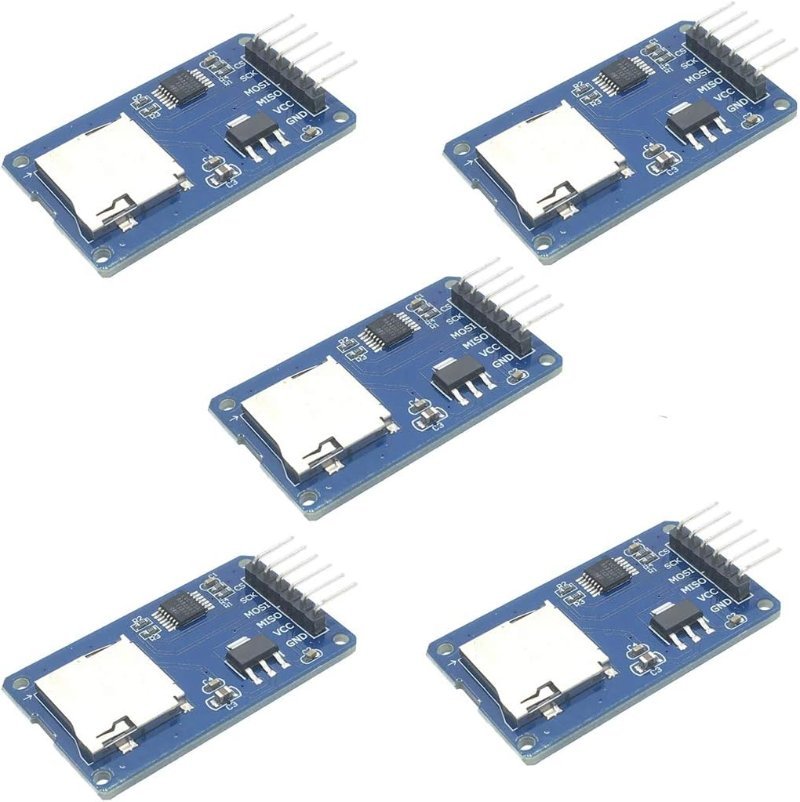
The other thing to know is that microSD cards are strictly 3.3V parts. Anything much above 3.6V on their pins can kill them outright. The breakout modules worth buying handle this for you with an AMS1117-3.3 regulator to drop 5V down to 3.3V, and a 74LVC125A buffer to translate the SPI signals in both directions. Bare adapter boards without those chips exist and are cheaper — they will also cook a card on a 5V Uno. If the 5V-versus-3.3V question is still fuzzy, we wrote a full explainer on 5V vs. 3.3V logic levels.
The two parts you actually need
This is a cheap build. There is no shield to buy, no soldering required if your module ships with headers attached, and the two components below cover everything except the board you already own.
This post contains affiliate links. If you buy through them, this site earns a commission at no extra cost to you.
Get the module with the level-shifting chip on it. The HiLetgo six-pin boards are the ones to buy — they carry the regulator and the 74LVC125A buffer with series resistors on the data lines, so the same module works on a 5V Uno and a 3.3V ESP32 without any changes. They come five to a pack for about the price of one brand-name breakout, which matters more than it sounds like: a card slot is a mechanical part, and a slot that has had a card jammed into it two hundred times develops intermittent contact. Having spares means you swap the module instead of spending an evening debugging a wiring job that was never wrong.
Six-pin SPI breakout with an AMS1117-3.3 regulator and a 74LVC125A level shifter on board, so it is safe on both 5V and 3.3V boards. Five modules per pack — buy spares, because the card slot is the part that eventually fails.
Check Price on Amazon →analogRead(A0) once a second for an afternoon. Pull the card, open the CSV in a spreadsheet, and chart it — you will see the sun cross your room as a curve. Two components, and a result you could not have gotten any other way, which is the whole point of logging.
For the card itself, resist the urge to buy big. The Arduino SD library speaks FAT16 and FAT32, and it parses the filesystem on a chip with two kilobytes of RAM. A 32GB card formatted FAT32 is the sweet spot — large enough that you will never fill it with sensor readings, small enough to sidestep the exFAT formatting the library cannot read. Modern high-capacity cards ship as exFAT and need reformatting before an Arduino will touch them. A plain SanDisk Ultra is the boring, correct answer; this is not a place where a no-name card saves you money, because a card that silently drops writes looks exactly like a code bug.
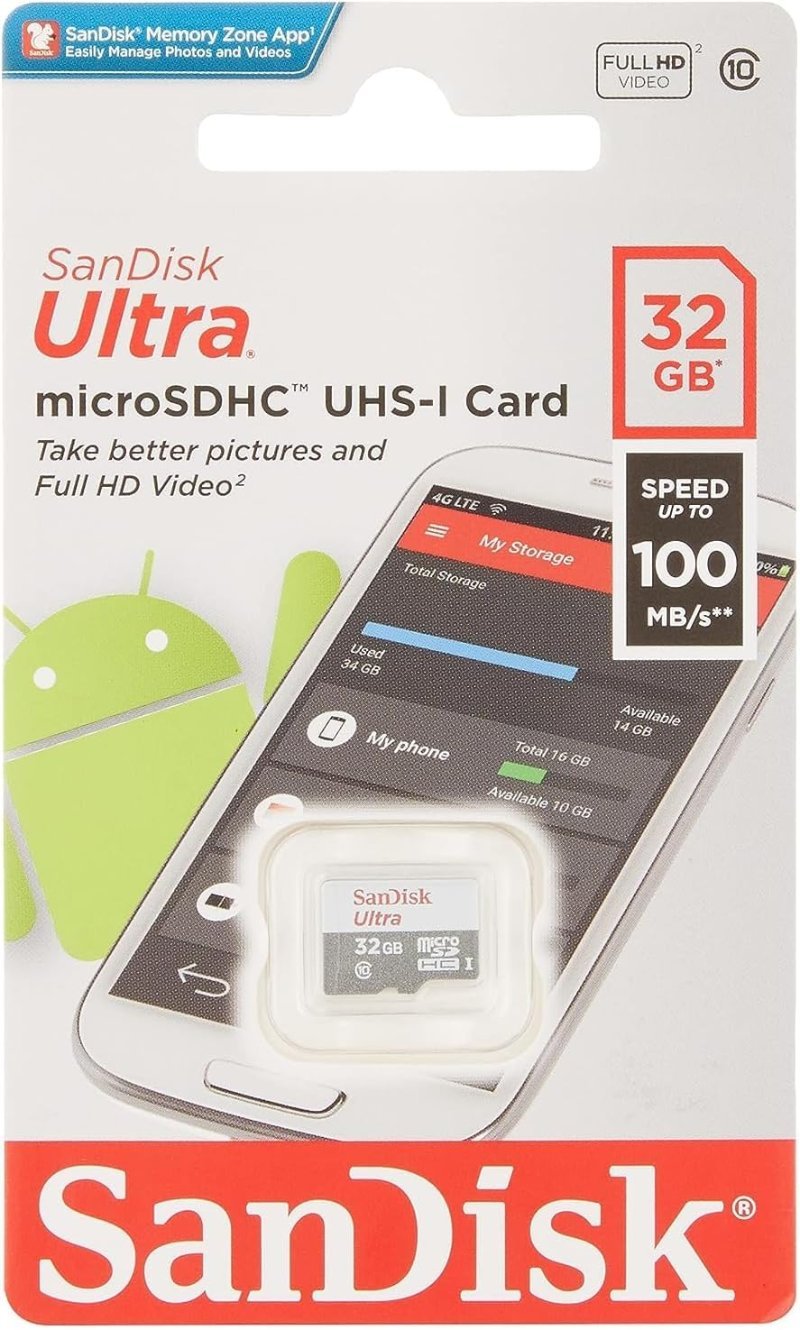
32GB is the practical ceiling for painless FAT32 formatting, and SanDisk’s failure rate is low enough that you can trust a missing row of data to be your bug rather than the card’s.
Check Price on Amazon →The sketch that writes a line
This is the entire logger. It reads A0 once a second and appends a timestamp-and-value pair to a CSV file.
#include <SPI.h>
#include <SD.h>

const int chipSelect = 10;

void setup() {
  Serial.begin(9600);
  pinMode(10, OUTPUT);              // required even if CS moves

  if (!SD.begin(chipSelect)) {
    Serial.println("Card failed, or not present");
    while (1);                      // stop rather than log nothing
  }
  Serial.println("Card ready");
}

void loop() {
  int reading = analogRead(A0);

  File dataFile = SD.open("datalog.csv", FILE_WRITE);
  if (dataFile) {
    dataFile.print(millis());
    dataFile.print(",");
    dataFile.println(reading);
    dataFile.close();               // commits the FAT entry
  } else {
    Serial.println("Could not open datalog.csv");
  }

  delay(1000);
}
Two details in there are doing more work than they look like. FILE_WRITE opens in append mode rather than overwrite, so a logger that reboots adds to the existing file instead of wiping it. And datalog.csv obeys the 8.3 filename limit the library inherits from FAT: up to eight characters, a dot, up to three more. Name it temperature_readings.csv and the open fails quietly, leaving you with no file at all.
The close() call is the one people delete to speed things up, and it is the one that matters most. The SD library holds your writes in a single static 512-byte buffer and only pushes them to the card when that buffer fills. Worse, even when a block does get written, the FAT directory entry recording the new file length is not updated until you call close() or flush(). Pull the power before then and the card physically holds your bytes with no filesystem record pointing at them — the file reads as empty or truncated. Closing after every row, as above, is slow but bulletproof. If you are logging fast enough that the open-and-close overhead hurts, keep the file open and call dataFile.flush() every few rows instead; flush commits the directory entry without giving up the handle. Pick the interval by asking how many rows you can afford to lose.
Timestamps: the part everyone forgets
Notice the sketch logs millis(), which is milliseconds since the board powered on. That is fine for tracking how something changed over four hours, and useless the moment you want to line your data up against anything in the real world — or the moment the board reboots and the counter restarts at zero. For that you need a real-time clock: a separate chip with its own coin cell that keeps wall-clock time whether the Arduino is running or not.
Buy the DS3231 and not the older DS1307, and the reason is specific. Both are I2C modules that wire up with two signal lines — SDA to A4 and SCL to A5 on an Uno — and share the bus with anything else you have on it. But the DS1307 relies on an external quartz crystal and drifts around two minutes a month, which on a logger you leave running for a season puts your timestamps an hour off by the end. The DS3231 seals a temperature-compensated crystal oscillator into the package, rated at ±2 ppm between 0 and 40°C — roughly a minute of drift per year. The common modules also carry an AT24C32 EEPROM, which hands you 32 kilobits of storage that survives power loss, useful for calibration constants you would rather not recompile into the sketch.
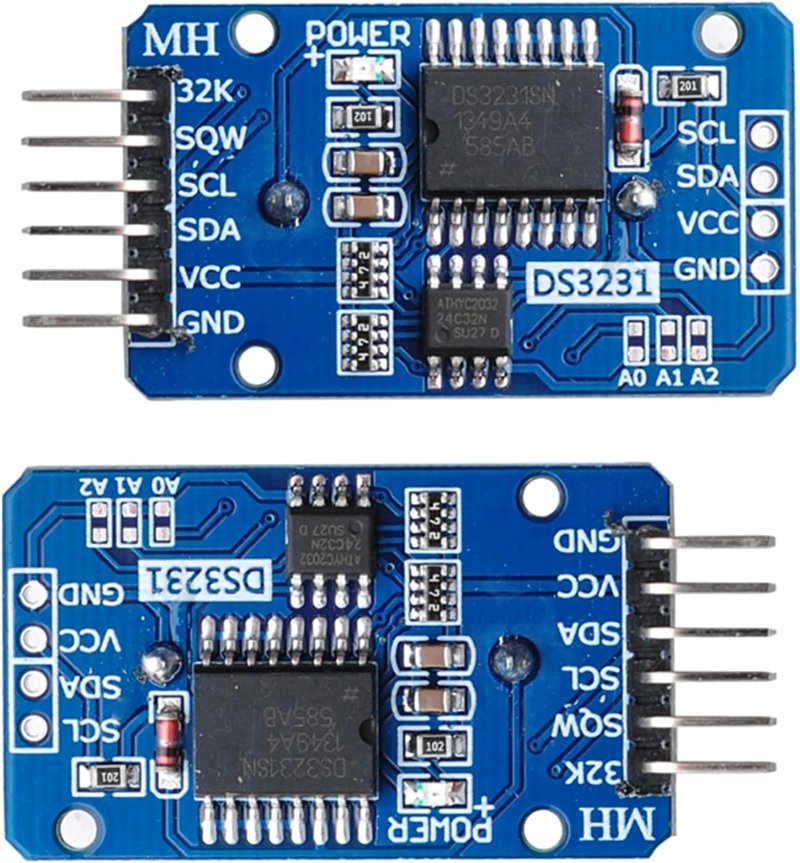
Temperature-compensated oscillator rated ±2 ppm — about a minute of drift a year, against the DS1307’s two minutes a month. Two I2C wires, a coin cell, and an onboard AT24C32 EEPROM thrown in.
Check Price on Amazon →One warning on these modules: most ship with a charging circuit intended for a rechargeable LIR2032, and most arrive with a non-rechargeable CR2032 fitted instead. The usual fix is to desolder the small resistor in the charge path — look up your specific board to find which one. Trickle-charging a CR2032 is not immediately dangerous, but it is not something to seal inside an enclosure for a year either.
Three failures worth recognizing on sight
It hangs with no output at all. Almost always the pin 10 problem above, or a card the library cannot read. Add the pinMode(10, OUTPUT) line first, because it costs nothing and rules out the more confusing of the two causes; then reformat the card as FAT32.
It logs for a while and then stops. Suspect power before you suspect code. SD cards pull sharp current spikes when they commit a block, and an Arduino running off a laptop USB port with a sensor and a servo already attached does not always have the headroom. A logger that dies after twenty minutes is usually a logger browning out.
The file exists but is empty. That is the unflushed-FAT problem. Your bytes may well be on the card; the directory entry just never got updated. Close or flush, then run it again.
Where this goes next
A working logger changes what you can build, because it decouples measuring from watching. Point it at a DHT22 and you have a weather station that records rather than displays. Point it at a current sensor on your battery pack and you can finally answer how long a robot actually runs, with a discharge curve instead of a guess. Add the DS3231 and every row is anchored to real time, so two separate logs can be laid over each other.
Start with the photoresistor and one line of CSV per second. Once you have charted a day of light levels out of a file you pulled off a card, the rest of it is just swapping which sensor feeds analogRead.