There is a specific kind of Arduino bug that no amount of Serial.println() will solve. Your I2C sensor returns zeros. Your SPI display shows garbage. Your UART link works at 9600 baud and falls apart at 115200. In every one of those cases the problem is happening on wires you cannot see, in microseconds, and the only honest way to find it is to look at the wires.
That is what a logic analyzer does. It samples digital pins thousands of times faster than your sketch runs, draws them as a timing diagram, and — this is the part that actually matters — decodes them back into the protocol you meant to send. Instead of guessing why your sensor is silent, you see the address byte go out and the NACK come back, and you know within a minute that you had the wrong address all along.
Under $50, you are buying one chip in a dozen different shells
This is the single most useful thing to know before you shop. Nearly every sub-$20 “24MHz 8CH” analyzer on Amazon is the same board: a Cypress CY7C68013A (an FX2LP — an 8051 microcontroller with hardware USB FIFOs bolted to it), a small voltage regulator, a 74HC245 buffer on the inputs, and a 10-pin header. Different seller names, different plastic, same silicon. Independent teardowns of these boards find each input sitting behind a 100 Ω series resistor and a 100 kΩ pull-down before it reaches the buffer.
So the brand on the listing is close to irrelevant. What varies is whether the seller includes the test hook clips you need to actually attach the thing to a breadboard, and that turns out to be the whole buying decision.
“24MHz” is not the spec you think it is
24MHz here means 24 million samples per second per channel — not that it can read a 24MHz signal. A logic analyzer needs to sample several times faster than the signal it is watching, or it will miss edges and show you a clean square wave that never happened. Four samples per bit is the bare minimum; ten is where you stop second-guessing the picture.
Run that math against what you actually debug and it looks fine. Standard-mode I2C at 100kHz gets you roughly 240 samples per bit — absurd headroom. 9600-baud serial is practically a still photograph. Where it gets thin is fast SPI: an 8MHz SPI clock leaves you three samples per clock period, which is not enough to trust the timing you see. If you are pushing a display or an SD card at full SPI speed, a 24MHz analyzer will show you roughly what is happening but will not let you measure it.
The other asterisk: these boards have no sample memory. They stream straight to the host over USB 2.0, which means the advertised top speed is also the speed at which your USB bus and PC have to keep up in real time. Reviewers who have pushed these boards report the software locking up at a full 24MHz and behaving reliably a notch or two below it. Plan on 12MHz being your dependable working rate and treat 24 as a best case.
The software is the actual product
None of these come with usable software, and that is fine, because the thing you want is free. PulseView, the GUI front end for the open-source sigrok project, drives these boards through firmware called fx2lafw and ships with well over a hundred protocol decoders — I2C, SPI, UART, 1-Wire, and a long tail of oddities. You stack a decoder on top of your captured channels and it annotates the waveform with actual bytes and ACK bits.
One thing to know going in: Saleae’s own Logic software will not detect these boards, despite half the listings describing them as Saleae-compatible. That compatibility ended years ago. Install sigrok and PulseView, and ignore any CD or download link the seller provides.
About input voltage
These boards are rated 0–5.5V, which covers both 5V Arduino boards and 3.3V boards like the ESP32 without any level shifting. The threshold is fixed, though — you cannot dial it in — so if you ever work with 1.8V logic, these are the wrong tool. If the 5V-versus-3.3V distinction is still fuzzy for you, it is worth reading our explainer on logic levels before you start clipping probes onto unfamiliar boards.
The picks
This post contains affiliate links. If you buy through them, this site earns a commission at no extra cost to you.
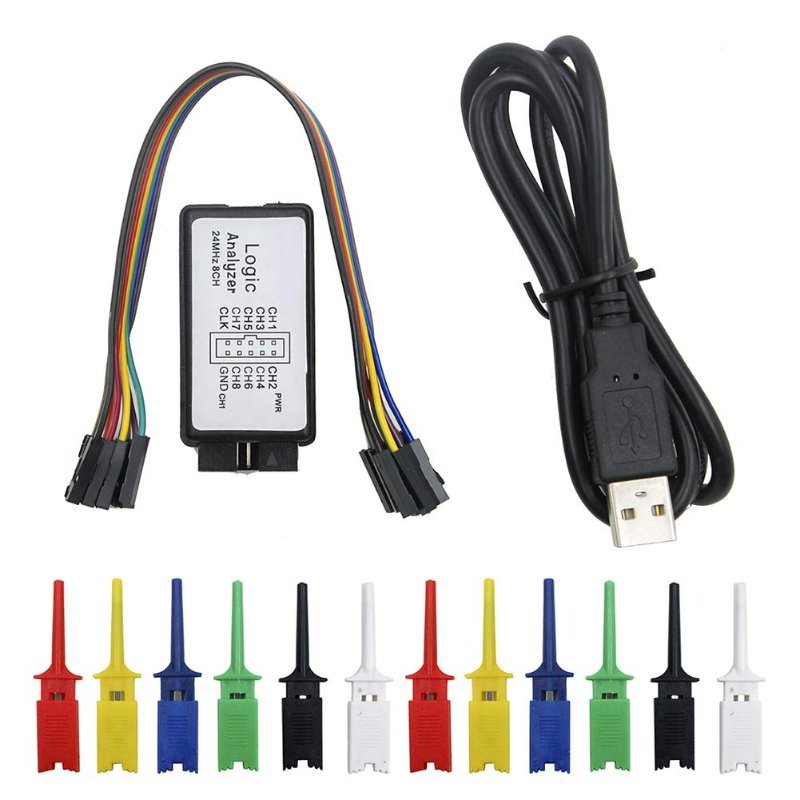
Buy the one that comes with hook clips. The bare board gives you a 10-pin header and nothing to connect it with, and the female Dupont wires in your starter kit will not grip a 0.1" pin on a sensor module that already has a jumper in it. Test hook clips — the little spring-loaded grabbers — are what make this tool usable on a real circuit, and buying them separately costs about as much as the analyzer. The KeeYees bundle includes twelve of them in six colors, which is exactly the right amount for an 8-channel tool plus a ground and a spare.
The standard FX2LP board, but packaged with the twelve colored grabber clips that turn it from a dev board into a usable instrument. Works with sigrok/PulseView on Windows, macOS, and Linux.
Check Price on Amazon →0x68, get an ACK, write register 0x00, and read seven bytes back — and because an RTC’s register map is documented and its values change predictably, you can check the decoder against reality instead of trusting it blindly. It is the best twenty minutes of I2C education available for eleven dollars.
If you already own hook clips, buy the cheapest board. Genuinely — the silicon is identical, so paying more for a different seller’s label buys you nothing. The Comidox listing is the no-frills version: board, mini-USB cable, done. (Yes, mini-USB. In 2026. Check your cable drawer before you need it at 11pm.)
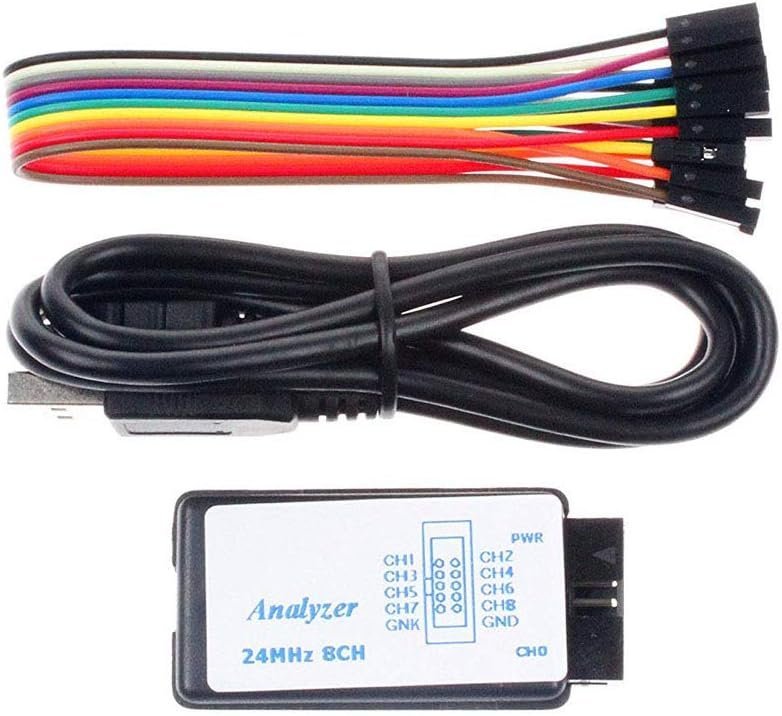
Same CY7C68013A board as everything else in this price bracket, with no accessories to pay for. The right choice only if you already have grabber clips or jumper leads that fit.
Check Price on Amazon →The most complete box, if you are starting from nothing. The DAOKAI kit adds Dupont jumper cables alongside the hook clips, which matters if you expect to probe both breadboard rails and pre-made sensor modules. It is a couple of dollars more than the KeeYees bundle for a slightly wider set of ways to attach the thing.
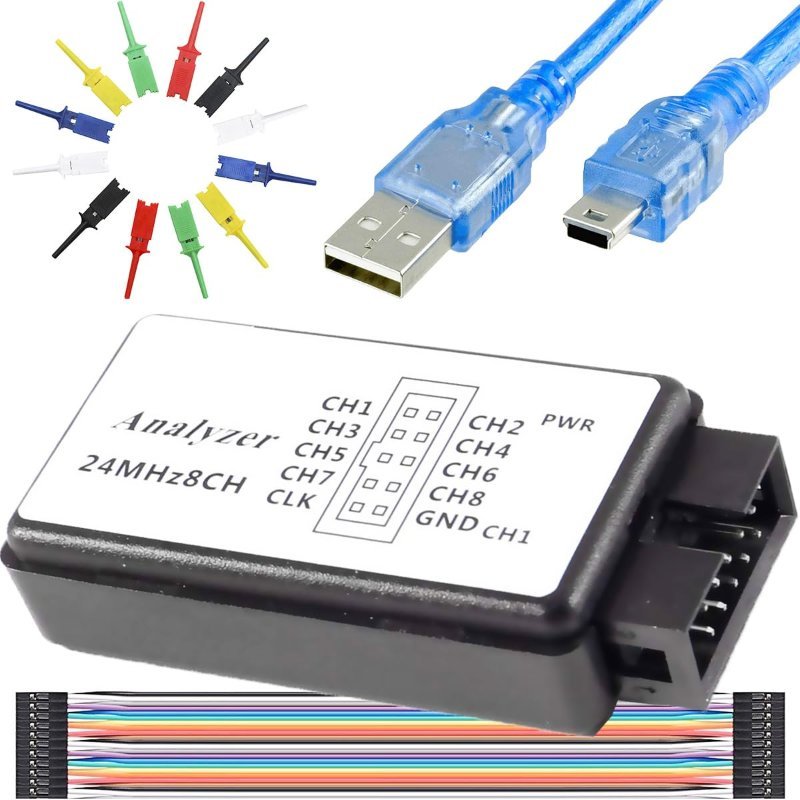
Analyzer, six-color test hook clip set, Dupont leads, and the mini-USB cable in one box. Pick this if you do not already own any way to tap a signal.
Check Price on Amazon →When $50 isn’t the right budget
Here is the honest finding from shopping this category: there is no meaningful middle. Below about $20 you get the FX2LP board. The next real step up lands near $70, and it is a genuine step — the Kingst LA1010 gives you 16 channels instead of 8, up to 100 million samples per second instead of 24, an adjustable input threshold so 1.8V and other non-standard logic become readable, and two PWM generator outputs for feeding test signals into whatever you are debugging. Nothing between those two prices is worth your money.
If everything you touch is an Arduino running I2C sensors and serial links, the $14 board is the correct purchase and the LA1010 is overkill. If you are already debugging fast SPI, parallel buses, or anything with more than eight interesting signals, skip straight here and stop fighting your tool.
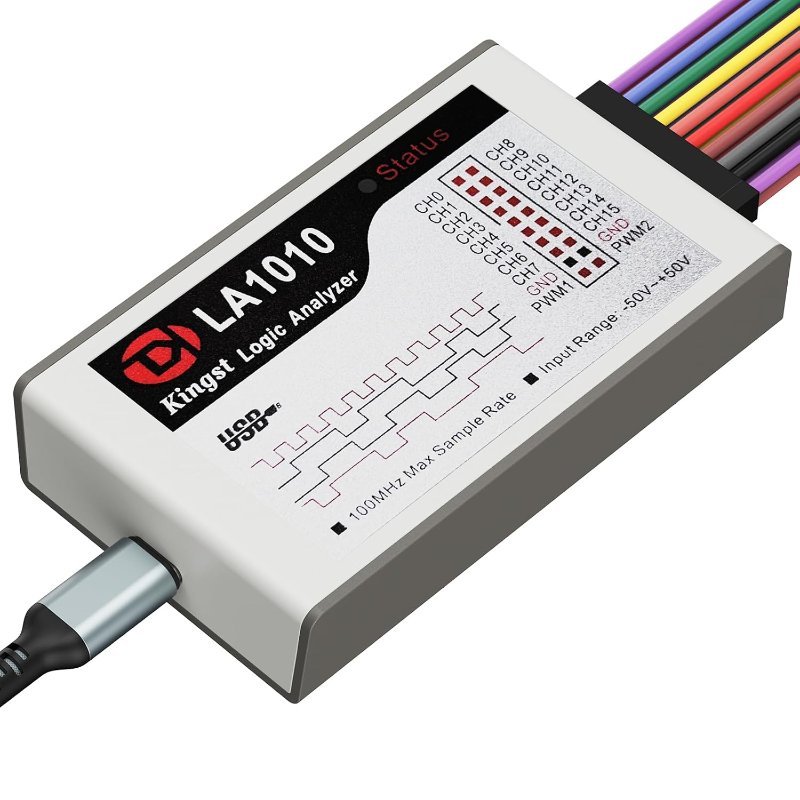
Runs about $69, so it misses this post’s budget on purpose. Sixteen channels, 100MS/s, adjustable threshold, two PWM outputs, and Kingst’s own English software for Windows, macOS, and Linux. The analyzer you buy once and keep.
Check Price on Amazon →What a logic analyzer won’t do
It only ever reports two states: above threshold or below it. That means it is blind to the entire class of problems that live in between — a sagging supply rail, a signal with slow rise times, ringing, noise riding on a line. If your symptom is “it works sometimes,” an analyzer may show you a perfectly clean trace while an oscilloscope would show you the actual culprit. A logic analyzer answers what was sent. A scope answers how badly.
It also will not help with the most common beginner failures, which are wiring and power, not protocol. Before you reach for a probe, it is worth ruling out the boring breadboard mistakes that look nothing like a bug.
With those caveats stated: a $14 board that turns “my sensor returns zeros” into “I was writing to the wrong register” is the highest return on investment in the entire beginner electronics toolbox. There is no version of this hobby where you regret owning one.