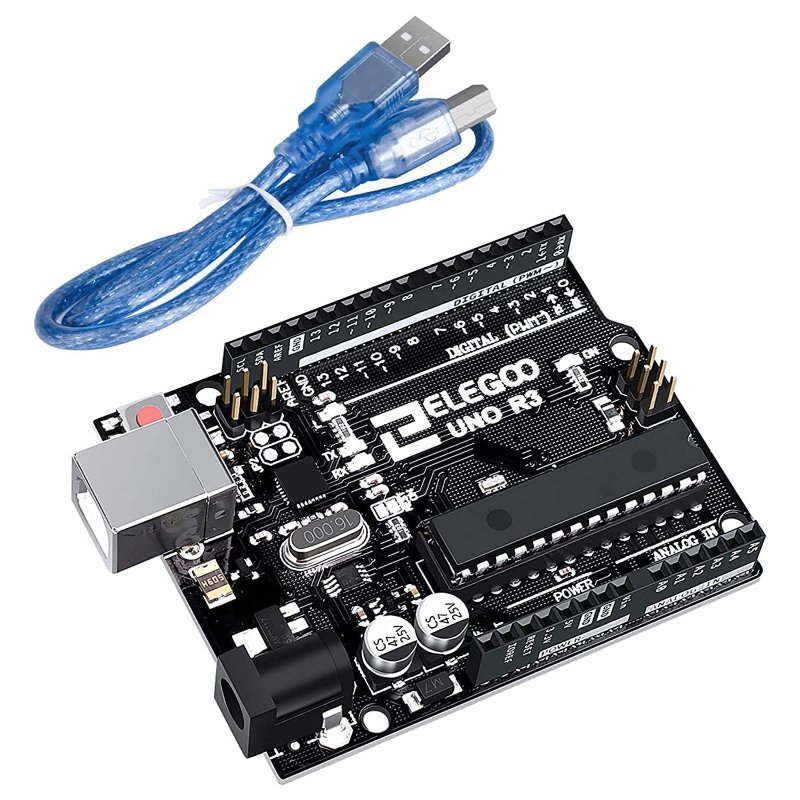
New to this and staring at three boards with no idea which one the tutorial you’re reading assumes you own? That confusion is reasonable — Uno, Nano, and ESP32 all run Arduino-style code, all show up in the same beginner searches, and they are not interchangeable in the ways that matter. Here’s what actually separates them, with real numbers instead of vibes.
Arduino Uno: The One Every Tutorial Assumes
The Uno runs an ATmega328P chip: 16MHz clock speed, 2KB of RAM, 32KB of flash storage for your compiled sketch. Those numbers sound small next to a phone or laptop because they are — this chip has no operating system, no multitasking, and no memory management to speak of, it just runs your exact sketch, instruction by instruction, as fast as 16 million cycles per second allows. For blinking LEDs, reading sensors, and driving motors, that’s genuinely plenty; it only becomes a real limitation for projects doing heavy math, handling lots of simultaneous inputs, or needing wireless connectivity, none of which the Uno was built for.
The Uno is also what “Arduino” means to most people — it’s what nearly every beginner tutorial, YouTube walkthrough, and Stack Exchange answer defaults to. Its full-size form factor means it doesn’t fit neatly on a breadboard — you’ll be running jumper wires off the header pins instead, which is fine for a board you’re mostly leaving on your desk. If this is your first board, get the board with the most tutorials written for it. That’s the Uno, not a spec argument.
This post contains affiliate links. If you buy through them, this site earns a commission at no extra cost to you.
The board every beginner resource assumes you own. Start here if this is your first board, full stop.
Check Price on Amazon →Arduino Nano: Same Brain, Breadboard-Friendly Body
The Nano runs the exact same ATmega328P chip as the Uno — same 16MHz/2KB RAM/32KB flash, same code, same libraries, same everything, just on a much smaller board. The difference that matters is physical: it’s narrow enough to plug directly into a breadboard with pins exposed on both sides, which the Uno can’t do. If you’re building something that needs to live permanently wired into a breadboard or a small enclosure — a project, not a learning bench — the Nano is the better physical fit for identical capability.
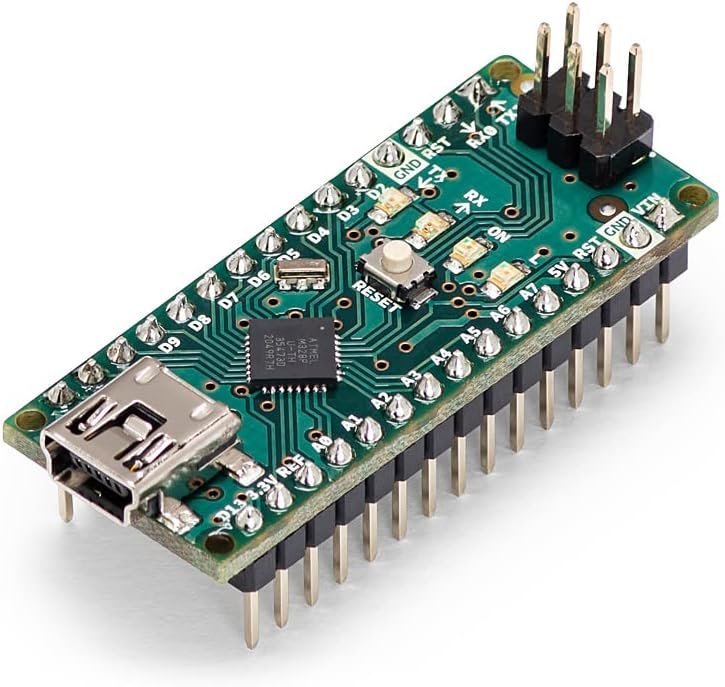
Same chip as the Uno, small enough to live permanently on a breadboard. Official Arduino board, not a clone.
Check Price on Amazon →ESP32: More Power, a Steeper Curve, and Actual Wireless
The ESP32 isn’t an Arduino at all — it’s a different, considerably more powerful chip that happens to run in the Arduino IDE once you install the right board package. The numbers make the gap obvious: a dual-core processor running up to 240MHz (15x the Uno’s clock speed, and two cores instead of one), around 320KB of RAM (160x the Uno’s), and megabytes of flash storage instead of kilobytes. It also has WiFi and Bluetooth built directly into the chip, which is the real headline feature — nothing else on this list can talk to a network or a phone app without an add-on module.
That power comes with one wiring detail you can’t skip: the ESP32 runs on 3.3V logic, not the Uno/Nano’s 5V. Wire a 5V sensor’s output straight into an ESP32 pin and you risk damaging it — see our full explainer on 5V vs. 3.3V logic levels for exactly why, and what to do about it when a project mixes an ESP32 with 5V-only sensors.
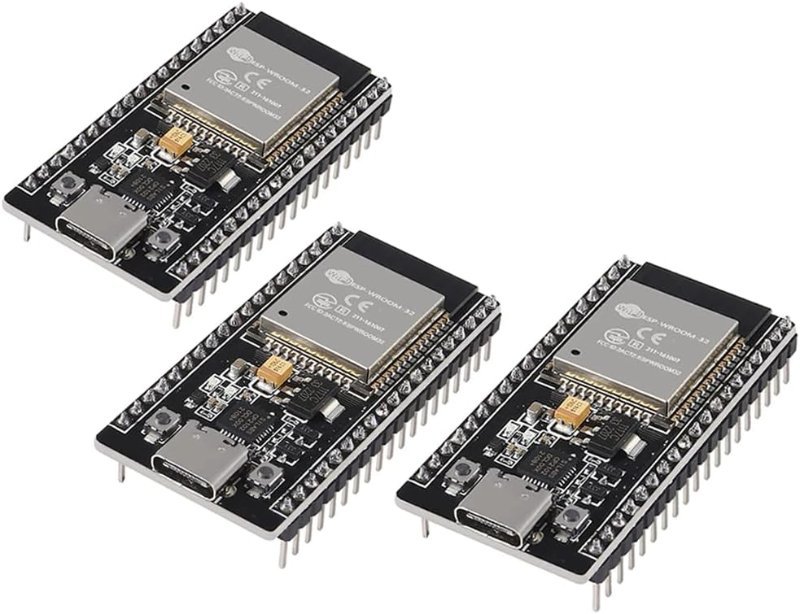
Built-in WiFi and Bluetooth, dual-core, runs 3.3V logic. Comes in a 3-pack, which matters because you will eventually fry one.
Check Price on Amazon →The Short Version
Learning fundamentals: Uno. Permanent breadboard build: Nano. Anything that needs to reach a network or a phone: ESP32, with a level converter on hand for any 5V sensors you carry over. Own all three eventually — they solve different problems, and none of them replace the other two.