You wired it exactly like the diagram, the sketch compiles, and the Serial Monitor is showing you fiction: 12 cm, 13 cm, 1,180 cm, 0, 12 cm. The HC-SR04 has a reputation for being flaky, and it does not entirely deserve it. In most cases the sensor is doing precisely what physics tells it to do — it is your setup, your code, or your target that is lying. Bad readings almost always trace back to one of five causes, and each one leaves a different fingerprint.
First, what the sensor actually measures
The HC-SR04 is sonar in miniature. Your board holds the trigger pin HIGH for 10 microseconds, the sensor fires an eight-cycle burst of 40 kHz ultrasound (about twice the frequency your ears top out at), then raises its echo pin for however long the reflection takes to come back. Your code converts that time to distance: distance = duration * 0.0343 / 2 — sound travels 0.0343 cm per microsecond, and you halve it because the ping made a round trip. Every bad reading is one of the assumptions baked into that formula breaking down.
1. Your target is eating the ping
Soft surfaces absorb 40 kHz sound instead of reflecting it. Point the sensor at a hoodie, a couch cushion, foam, or curtains and the echo that returns can be too weak to register — you get zeros or wild spikes. Hard surfaces at an angle are just as bad for a different reason: the ping bounces away like light off a tilted mirror and never returns. The sensor also is not a laser; its effective detection cone is roughly 15 degrees, so it may be ranging off a table edge you did not think was in frame. Diagnostic test: aim it square at a wall or a flat book from about 30 cm. If readings go rock-solid, the sensor is fine and your target was the problem.
2. You are pinging too fast
The datasheet asks for at least 60 ms between measurements, and it is not being polite. Fire the next trigger before the last ping’s reflections have died out and the sensor can latch onto a stale echo still bouncing around the room — a ghost reading that belongs to the previous measurement. If your loop calls the sensor as fast as it can, intermittent garbage is guaranteed. A delay(60) between pings, or a millis()-based timer if you cannot afford to block, clears this up immediately.
3. The mysterious zeros: pulseIn() timing out
When no echo comes back at all, pulseIn() gives up and returns 0 — and by default it waits a full second before doing so, freezing everything else in your sketch. Two fixes. Pass an explicit timeout as the third argument — pulseIn(echoPin, HIGH, 30000) caps the wait at 30,000 µs, roughly a 5-meter round trip, past the sensor’s range anyway. And treat 0 as “no reading” in your logic rather than “the obstacle is touching me,” which is how many a robot has ended up spinning in circles in an empty room.
4. Power problems look exactly like sensor problems
The HC-SR04 wants a solid 5 V. Run it off a sagging breadboard rail, through a daisy-chain of thin jumper wires, or on the same rail as a servo or DC motor, and the voltage dips every time the motor kicks — and the sensor misfires in perfect sync with it. If your readings go bad only when the robot moves, this is your culprit. Give the sensor its own clean 5 V feed and put a capacitor across the rails to smooth the dips. One more wiring trap: on a 3.3 V board like an ESP32, the echo pin is happily sending back 5 V logic your input pin was never meant to swallow — we covered why that matters (and the two-resistor fix) in 5V vs. 3.3V Logic Levels, Explained.
5. Temperature quietly skews everything
That 0.0343 constant assumes room temperature. The real speed of sound is roughly 331.4 + 0.6 * T meters per second, where T is air temperature in Celsius. In a 0°C garage, sound moves about 3.5% slower than your formula thinks, so every reading is about 3.5% long. This one never causes wild spikes — it is a slow, consistent lie — but if your project needs centimeter accuracy outdoors, it is worth correcting for.
When it really is the sensor
This post contains affiliate links. If you buy through them, this site earns a commission at no extra cost to you.
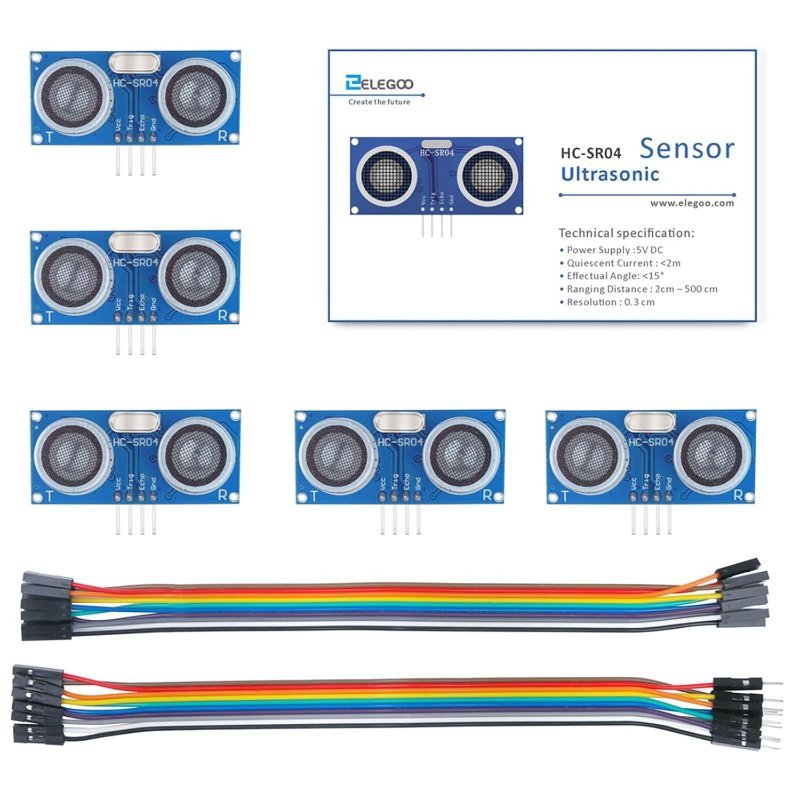
All that said — sometimes the module is just bad. HC-SR04 clones vary enormously in build quality, and a unit with misaligned transducers or a marginal driver chip will produce garbage no amount of code can fix. The fastest diagnostic in electronics is swapping in a known-good part, which is why these are worth buying in multiples. The ELEGOO 5-pack is the one we’d grab: it performed consistently unit-to-unit when we tested it, and at this price a spare sensor costs less than an hour of debugging a dead one.
Consistent unit-to-unit quality where cheaper clones gamble, and five modules means a known-good spare is always within reach when readings go sideways.
Check Price on Amazon →soundSpeed = 331.4 + 0.6 * tempC each loop, and use it in place of the hardcoded 0.0343. Then breathe warm air over the DHT22 and watch a fixed target’s reading shift by a few millimeters — that is temperature compensation working, live.
Run the checklist in order — target, timing, timeout, power, temperature — and you will find the culprit in minutes instead of evenings. And if the swap test proves the module itself was lying to you, at least now you have four spares.